
To make the No Scrubs AI video with your friends, add your photo on the No Scrubs AI video page, add a friend on the left and one on the right, tick the box and press the button. Nobody has to learn the dance. The corridor, the stage and the shots come from the version @herokobaa posted on October 20, and the faces, hair and clothes come from your photos.
This guide covers who goes where, which photos work and how to post it.
What you need
- Your own photo. It goes in the middle, and it is the only one required.
- A photo of each friend, or one group photo of up to three of you.
- A phone or a computer with a browser. There is no app to install and no prompt to write.
Step by step
- Add your photo. It goes in the You box, the middle place.
- Add your friends. One photo for the Friend on the left, one for the Friend on the right. If you leave a friend box empty, the original dancer keeps that place on the stage; leave the left one empty and you also take its close-up and solo. If all you have is a picture of the three of you together, switch to One group photo.
- Tick the box. It reads "I have the right to use these photos."
- Press Make my No Scrubs AI video. Most videos are ready in 5 to 10 minutes. You can leave the page: the video waits in My videos, and we email you when it is done.
- Post it. The video comes in the music video's own landscape frame, the same shape as the trend clips, with the No Scrubs song laid over it and no watermark from us.
Who goes where
The three places do not get the same shots.
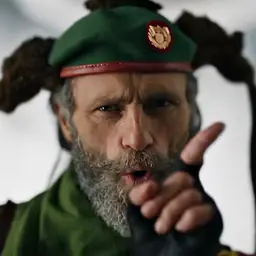
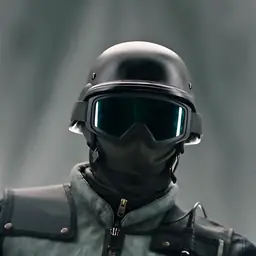
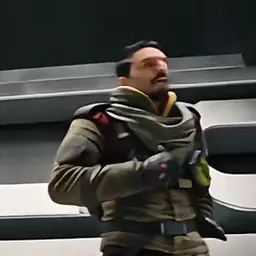
- You, in the middle. You walk out of the glowing white corridor, get the close-up singing and pointing at the camera, dance in the middle of the row on the stage, and press both hands against the corridor walls in the shot from above. This place has the most shots, so give it your sharpest photo.
- Friend on the left. Gets a close-up singing a line, and a solo on the stage shot from below. Put the friend who wants the spotlight here. Leave it empty and both shots are yours.
- Friend on the right. Dances on the right of the row on the stage. This place has no close-up of its own, which suits a friend who would rather stay in the row.
The No Scrubs AI template, shot by shot goes through every shot in order.
A photo each or one group photo
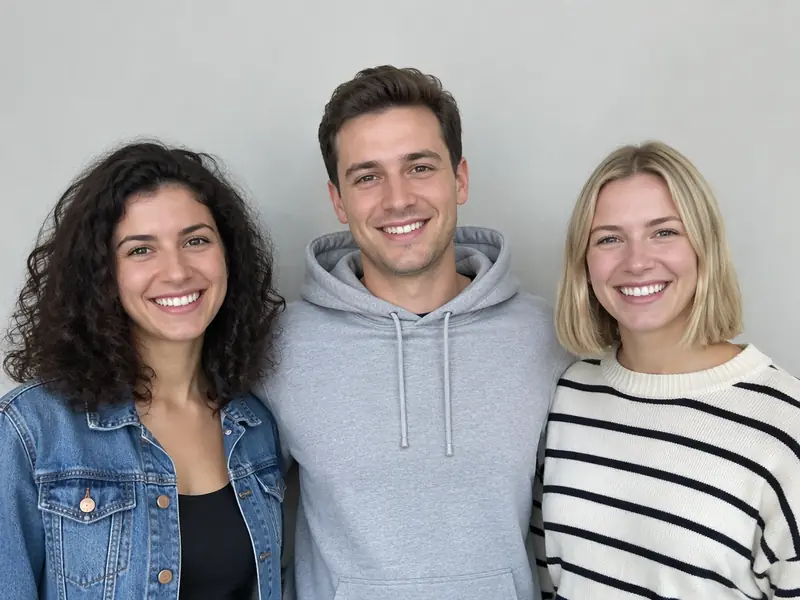
A photo each lets you choose who stands where. With One group photo, the picture is read left to right: the person on the left of the photo takes the left place, the one in the middle takes the middle, and the one on the right takes the right. With more than three people in the picture, the three biggest faces go in. So if you want to be the one walking out of the corridor, stand in the middle when you take the photo.
Which photos work
The video is made to show the whole face, not the helmets and goggles from the original clip. A sharp, front-on photo is what makes that work.
- One person per photo, or up to three side by side in a group photo.
- Waist-up or full length.
- The face sharp, turned to the camera and uncovered.
- Daylight or a bright room.
Leave out photos with sunglasses, masks or a hand over the face, faces that are tiny and far away, heavy filters or beauty effects, and anything dark or blurry.
What to wear in the photo
The AI copies what it sees, so the clothes in the photo are the clothes in the video. If the three of you want to dress up, wear the outfits in the photos.
If it looks off
- A face is not quite right. Try a sharper, front-on photo taken in daylight or a bright room, without a filter.
- Someone is in the wrong place. In a group photo, the order follows the picture from left to right. To choose the places yourself, switch to a photo each.
- The render failed. It goes back to your account automatically.
What happens to your photos
Your photos stay with the video in My videos, and they are deleted when you delete the video. Photos that are never used are erased within a day. Nothing trains any model.
How to post it
- Switch on the AI label. Turn on TikTok's AI-generated content label before you post.
- Tag both friends. The joke lands when people know the dancers.
- Hashtags people use: #noscrubs, #noscrubsai, #tlc, #noscrubschallenge, #aitrend, #aidance, #aivideo and #fyp.
- Caption ideas in the style of real posts: "POV: we said NO SCRUBS 💀", "the group chat dropped a no scrubs remake" and "me, leader of the group 😂".
For trios to try and more captions, read No Scrubs AI meme ideas. To see how it all spread, read about the No Scrubs AI trend.
Make my No Scrubs AI video